Application Purpose: Magic Mirror transforms Android devices into ambient smart displays. It features real-time Open-Meteo weather forecasts, Nominatim location names, daily ZenQuotes inspiration, local WMO emoji weather icons, motion detection via camera to wake/sleep the screen, and schedule management through Google Sign-In or Outlook ICS Login.
Magic Mirror operates as an always-on display using wake locks and keyguard controls. Location permissions (runtime) allow instant weather and reverse-geocoded city display, while camera access (runtime) enables intelligent motion detection to manage screen power.
 Magic Mirror
Magic Mirror centralizes local weather forecasts, city location names, daily quotes, system time, tasks, local photo backdrops, and agendas into one smart display. Right after installation, the app requests location permissions to load Open-Meteo weather and reverse-geocode the city name via OpenStreetMap Nominatim. Weather visualizers render instantly using native Unicode weather emojis mapped locally to WMO weather codes. The camera is utilized strictly for local motion detection to wake the screen when a user approaches and put it to sleep when empty.
Upon installation (before login), Magic Mirror requests runtime location permissions (FINE & COARSE) to query Open-Meteo for forecasts and Nominatim to render the user's current city and country name beneath the weather.
Uses the camera to detect face presence or motion in front of the display to automatically wake or sleep the screen, preserving energy and display life.
Displays an inspiring quote fetched once per day from ZenQuotes.io (cached locally until midnight) alongside lightweight, zero-dependency WMO emoji weather icons.
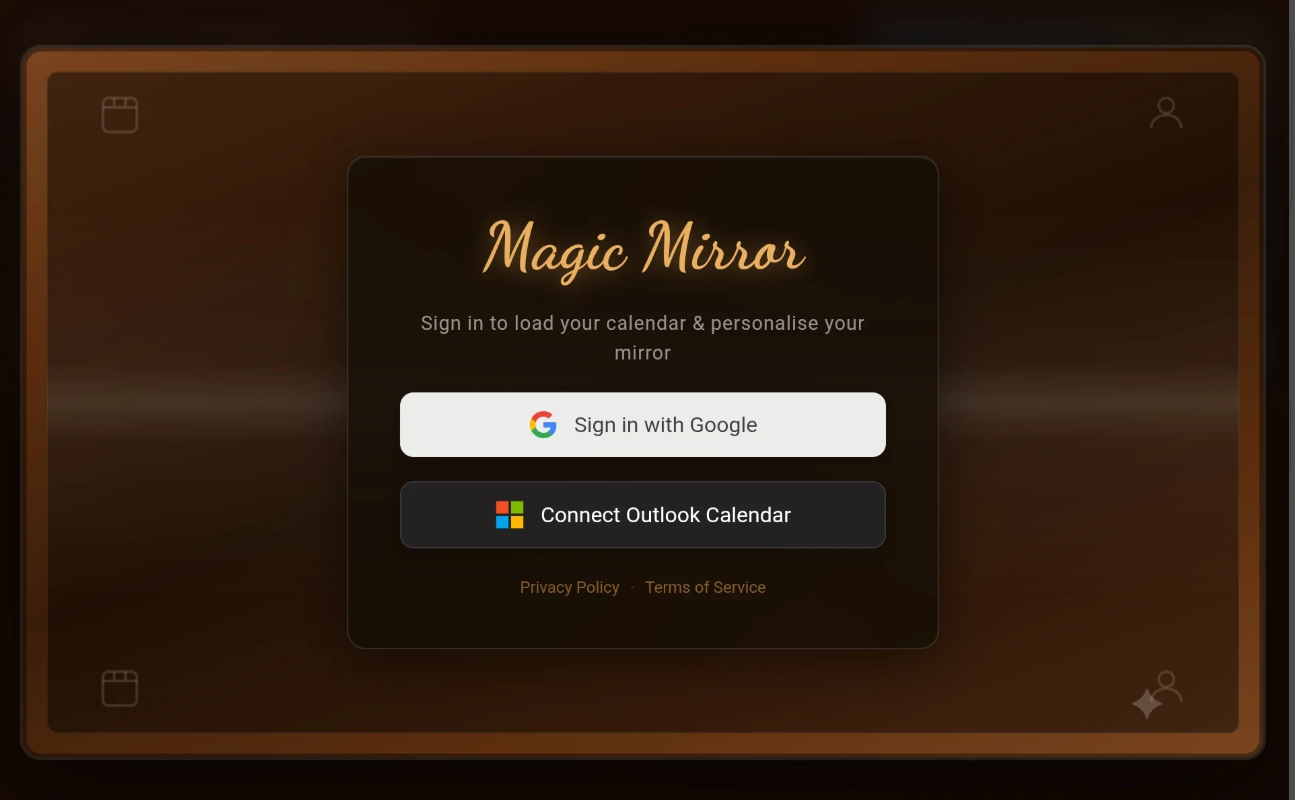
The following screenshots demonstrate the Magic Mirror Android application interface in action.
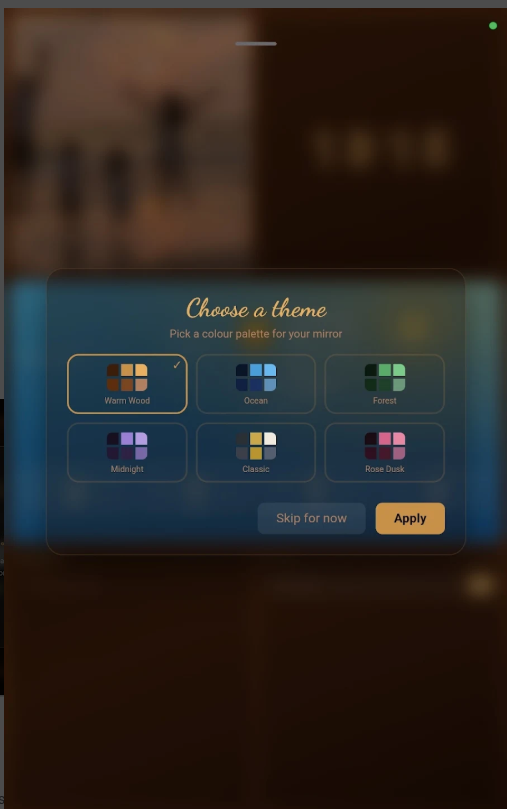
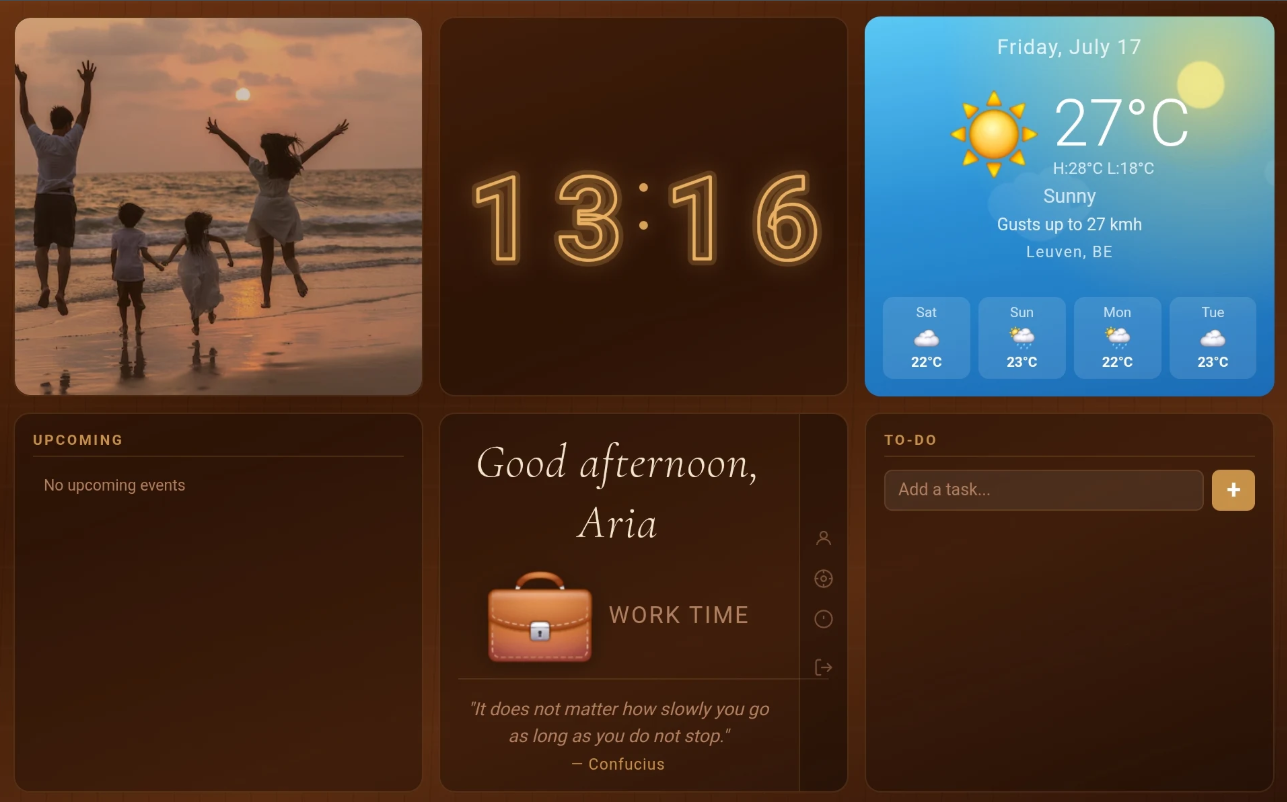
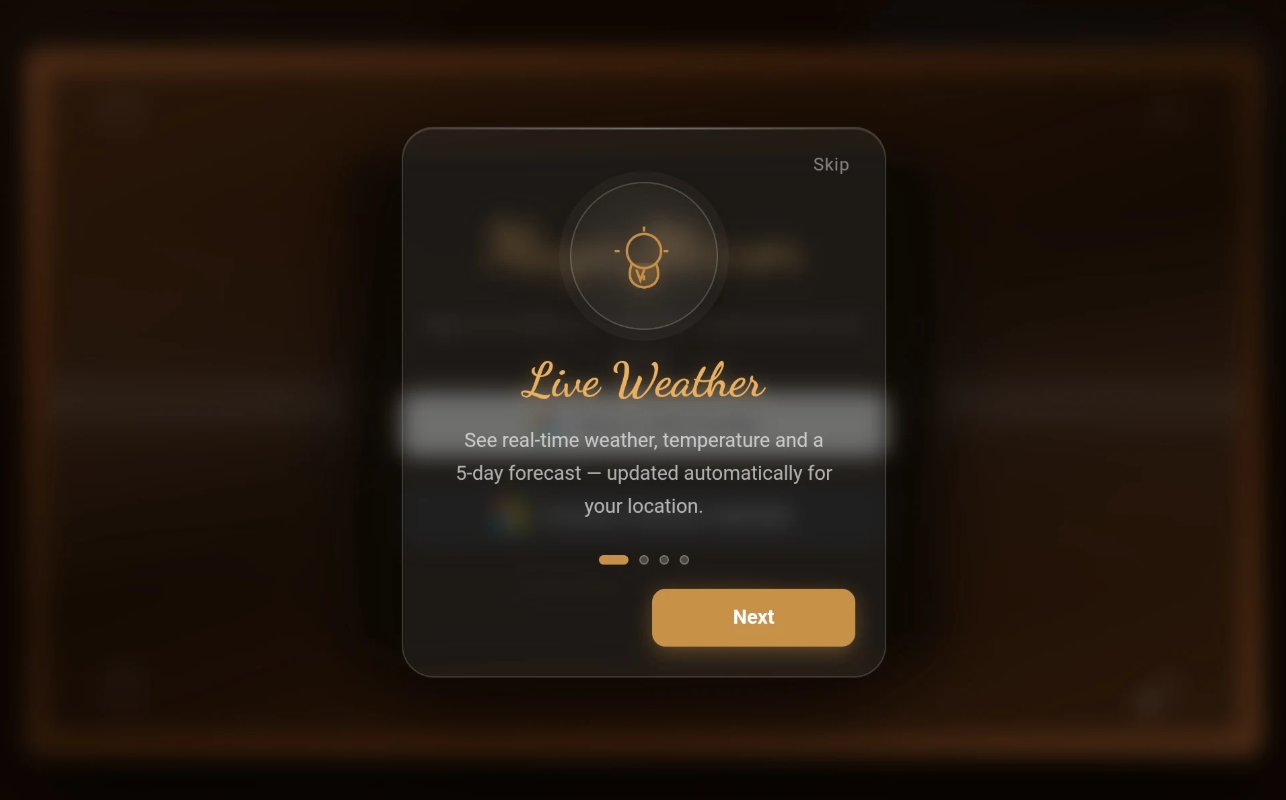
Magic Mirror provides seamless dashboard setups whether you log in with Google or Outlook ICS.
Install Magic Mirror and grant location permission on startup to display Open-Meteo weather and Nominatim location names immediately.
Sign in via Google Sign-In or enter your name and feed URL using Outlook ICS Login.
Grant runtime camera permission for motion detection screen wake/sleep controls.
Customize display names or delete your account at any time to instantly erase all stored local data.
Google Sign-In and Outlook ICS are treated as completely independent account paths with isolated local data storage.
Authenticates via Google OAuth. Auto-populates display name from basic profile, renders read-only Google Calendar agendas, and syncs tasks bi-directionally with Google Tasks.
Connects via user-provided iCalendar feed URL. Users enter their preferred display name on the ICS login screen. Agenda events are parsed locally from the ICS link, while task management functions identically to Google accounts.
Data from one login is never mixed with or accessible by the other account path. Deleting an account within the app immediately erases all associated local data and settings from the device.
Regardless of whether you sign in with Google or Outlook ICS, users have full ability to change their on-screen display greeting name directly within the app settings.
All user data received from Google APIs is processed locally on your device in real-time. Magic Mirror does not store, profile, transmit, or sell your calendar entries, tasks, location data, camera feeds, or account credentials to remote servers.
Magic Mirror's use and transfer to any other app of information received from Google APIs will adhere to the Google API Services User Data Policy, including the Limited Use requirements.
Magic Mirror explicitly limits permissions to essential system and feature operations. Only dangerous runtime permissions trigger user prompts.
| Permission | Grant Type | Purpose / Justification |
|---|---|---|
INTERNET |
Automatic (Normal) | Executes outward requests for Open-Meteo weather, Nominatim geocoding, daily ZenQuotes, Google OAuth, Google Tasks sync, and ICS calendar downloads. |
CAMERA |
Runtime Dialog | Enables real-time local motion detection and face presence recognition to automatically wake or sleep the display. Video/images are processed locally in real-time and never saved or transmitted. |
ACCESS_FINE_LOCATION |
Runtime Dialog | Retrieves precise GPS coordinates to fetch accurate local weather forecasts from Open-Meteo and location names from Nominatim. |
ACCESS_COARSE_LOCATION |
Runtime Dialog | Serves as fallback network-based location detection for Open-Meteo weather and Nominatim location names when GPS is disabled. |
WAKE_LOCK |
Automatic (Normal) | Keeps the screen active continuously so the device can function reliably as an ambient smart mirror dashboard. |
DISABLE_KEYGUARD |
Automatic (Normal) | Allows the smart mirror dashboard to render over the Android lock screen for continuous visibility. |
Magic Mirror relies on lightweight, privacy-conscious services for weather, geocoding, and quotes.
Magic Mirror combines useful daily information into a customizable ambient display.
Always-visible digital clock, current date, and custom visual formatting.
Render read-only Google Calendar schedules or parsed Outlook ICS feeds.
Create, edit, and mark tasks complete across both Google Tasks sync and Outlook ICS sessions.
Real-time Open-Meteo weather paired with OpenStreetMap Nominatim reverse geocoding for city display.
Daily quote fetched via ZenQuotes (cached until midnight) and WMO weather codes mapped to native Unicode emojis.
Automated screen wake/sleep controls triggered by camera presence detection.
Weather data is provided for free by Open-Meteo. The city and country name displayed beneath the weather is reverse-geocoded from your GPS coordinates using OpenStreetMap's Nominatim service. Weather icons are native Unicode emoji characters mapped locally on-device based on WMO weather code standards.
Daily quotes are fetched from the ZenQuotes API (zenquotes.io/api/today) exactly once per day and cached locally on your device until midnight to minimize network calls.
Camera permission is used exclusively for local motion detection and face presence recognition. When enabled, it allows Magic Mirror to automatically wake the display when a user approaches and put the screen to sleep when no one is present. Camera frames are processed ephemerally on-device and are never recorded, saved, or transmitted.
Under Android guidelines, normal permissions such as INTERNET, WAKE_LOCK, and DISABLE_KEYGUARD are granted automatically by the OS at installation because they do not access sensitive personal user data. Only dangerous permissions (such as CAMERA and LOCATION) prompt runtime dialogs.
When you choose to delete your account inside Magic Mirror, all locally cached data—including calendar caches, task lists, display names, daily quote caches, and settings—is permanently erased from your device.